PhD Tools: Think better with Tinderbox
All parts
- PhD Tools: Beeminder Aug 2016
- PhD Tools: Visualise Structure and Kanban Flow with Trello Aug 2016
- PhD Tools: Think better with Tinderbox Aug 2016
- PhD Tools: DevonThink for File Storage and Discovery Aug 2016
- PhD Tools: Save your web links with Pinboard Aug 2016
- PhD Tools: Scrivener for Writing Long Things Aug 2016
- PhD Tools: Bookends for Managing References Aug 2016
- PhD Tools: Mellel for Layout and Final Presentation Sep 2016
- PhD Tools: RescueTime for Time Tracking Sep 2016
- PhD Tools: Turn Off the Internet with Freedom Sep 2016
- PhD Tools: Backup Systems for Staving off Sadness Sep 2016
- PhD Tools: Omnifocus for Managing your Non-PhD Life Sep 2016
- PhD Tools: The Secret to Finishing Your PhD Sep 2016
- PhD Tools: Vitamin-R and the Pomodoro Technique for Getting Going Sep 2016
- PhD Tools: Freewriting and Journalling to Think Through your Work Sep 2016
- PhD Tools: Pen and Paper Sep 2016
- PhD Tools: 'Always return to your primary sources' Sep 2016
- PhD Tools: Goodreads for Cross-Pollination Sep 2016
- PhD Tools: Sleep and Movement to Nourish the Body Sep 2016
- PhD Tools: Tea Sep 2016
[This is part of a series on the tools I used to write my PhD. Check out the other parts here.]
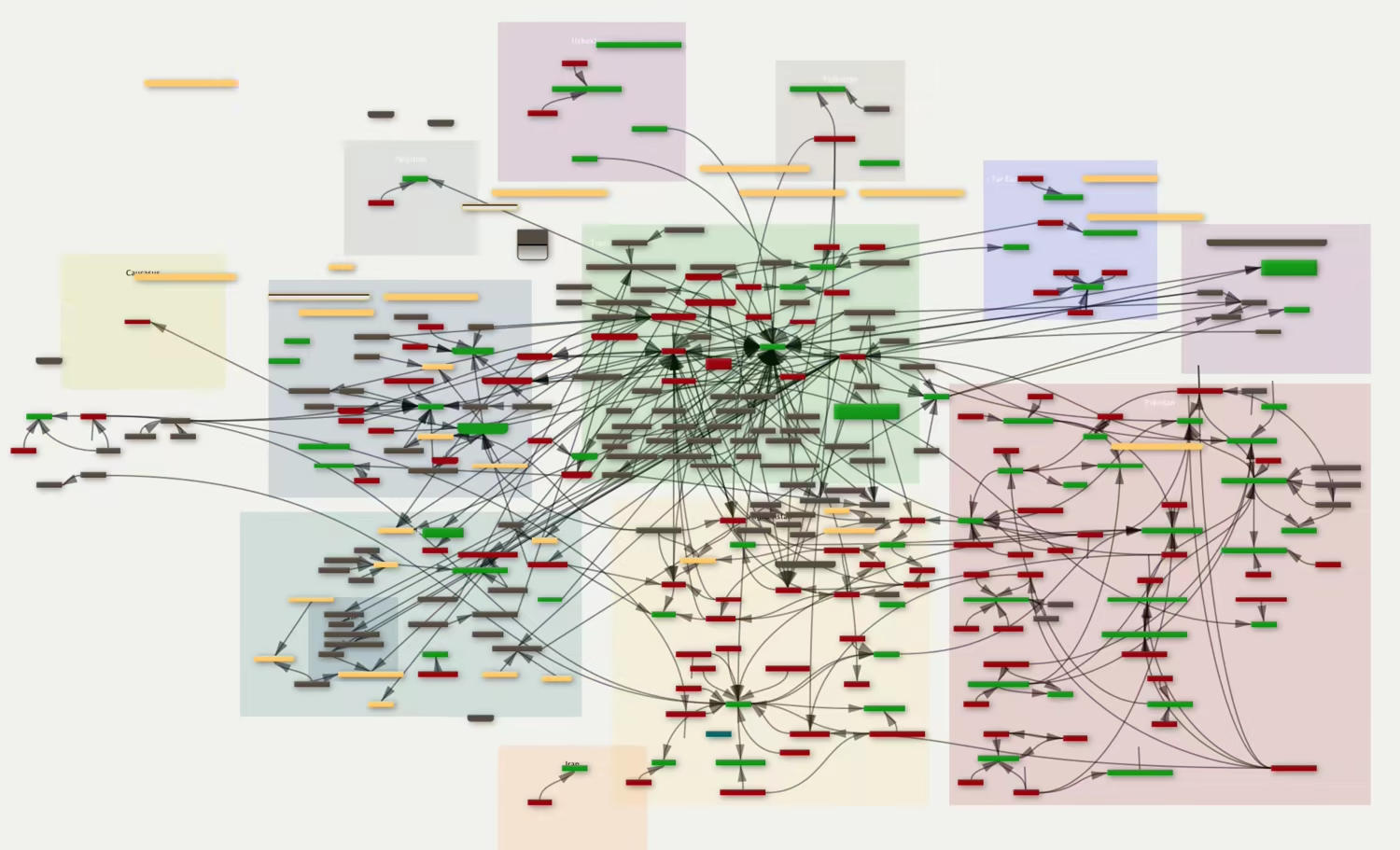
Tinderbox is a tool for writers and thinkers that can handle most things that you throw at it. Anything to do with thinking, it can probably do what you want. That said, there is a slight learning curve to the programme, and it may not be to everyone’s particular style. With those caveats stated, let’s dive in.
Any PhD student generally takes a lot of notes. Notes on books or articles you’re reading, or notes about points you want to make in the argument of your text / writeup. There are purely text-based / database-style systems that can handle these kinds of notes (like DevonThink, about which more soon) but none with the flexibility or visual features of Tinderbox.
A list of notes, for example, can be transformed into a visual / spaced-and-linked map of meaning like traditional ‘mind maps’. You can switch back and forth between outlines and maps easily (or even display both on the same screen/window) and display notes as well.
It’s fast, it doesn’t break or crash or slow down your computer, and it helps you think things through in the way that is best suited to your needs. Too often, software forces you to think in a particular way (i.e. the way of the software creator), but Tinderbox adapts to the way you were thinking and allows you to draft notes and structure accordingly.
I’ve written elsewhere about some things I’ve done using Tinderbox, so no need to mention all that here, but some things I found specifically useful for my PhD:
Small databases, constructed on the fly, while taking notes from books. An example of this is a database of key players or individuals from within the Taliban who occurred at various places in my notes. This grew to a pretty extensive document, but Tinderbox allows you to make these kind of structured data sets without needing to think too much about how the data might eventually be presented or used. Changing things is easy.
Timelines – Tinderbox can display lists of events with start and/or end dates on a timeline. I used this to create the TalQaeda timeline, for example, or the list of moments where the Afghan or international military forces claimed to have killed or identified a Chechen fighter in Afghanistan (chechensinafghanistan.com).
Working through ‘unstructurable’ ideas – There’s often a gap between the ideas you think you have in your head and the ideas as they are expressed on the page. I have found Tinderbox extremely useful in allowing me to find a way to make the two align closer together, or to figure out a structure or a sequence to parts of an idea in a way that makes most sense.
You can also use Tinderbox as a day-planner or a task outliner (like I discussed in my post about Trello), though I think it might be less suited to this task when compared to Trello.
The forum for Tinderbox and related products is a great place to discuss method, process and different ways of structuring ideas. Users are a mix of complete beginners and others who have been drafting books, novels and essays using Tinderbox for years. I find the discussions in the forum are often stimulating; asking questions there is an interesting way to rethink a particular mental quandary you might find yourself in.
BONUS: Listen to my podcast interview with Tinderbox’s creator, Mark Bernstein, for more on the vision behind the software and for some practical tips on structuring ideas.
Get new posts by email
Every new post, technical and personal, sent when I publish. Unsubscribe any time. Prefer a feed reader? There's technical RSS and personal RSS.